Features |
Inspections

Inspection operations, organized
Plan every inspection, assign it to the right property or unit, capture notes, and keep a complete activity trail ready for your team.
Schedule Inspections
Create upcoming inspections in seconds with dates, owners, units, and clear next steps for your team.
Pre-Move & Move-Out Inspections
Document condition before tenants arrive and after they leave, keeping every record easy to compare.
Property & Unit Assignment
Connect each inspection to the right property and unit so teams always know what needs attention.
Inspection Status Tracking
See what is scheduled, in progress, completed, or waiting on follow-up without chasing updates.
Detailed Notes & Documentation
Capture important findings, condition details, and next actions while the inspection is still fresh.
Complete Activity Log
Track every inspection update, edit, and status change so your records stay transparent and accountable.
How it works
01
Schedule Inspection
Choose the inspection type, date, property, and owner in a structured workflow.
02
Assign Property & Unit
Connect each inspection to the exact property and unit so every record stays organized.
Complete Inspection Placeholder
03
Complete Inspection
Capture condition notes, findings, and follow-up details while the work is happening.
Save & Track History Placeholder
04
Save & Track History
Keep every completed inspection searchable, auditable, and easy to reference later.
Dashboard-ready workflows
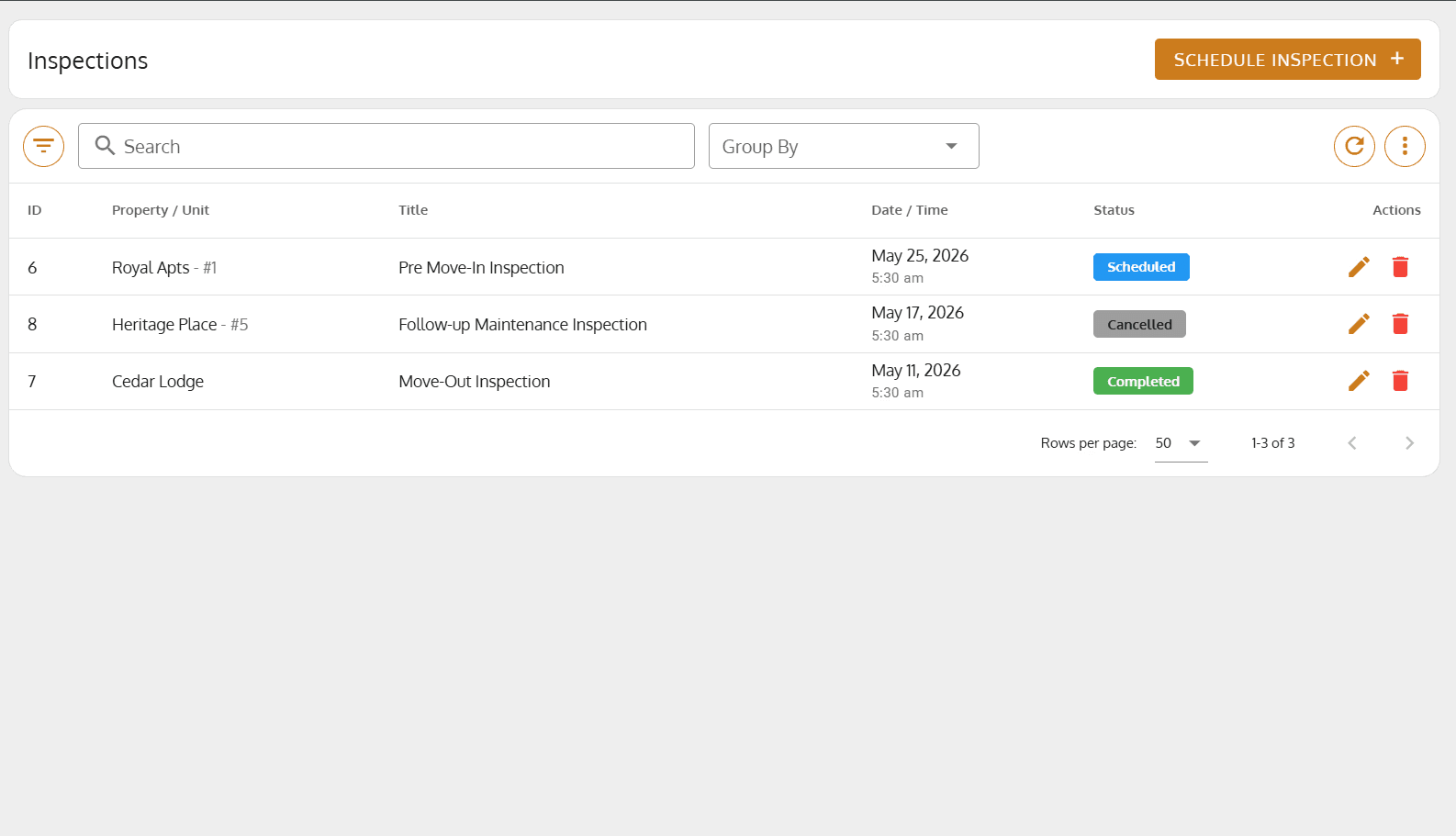

Capture the inspection purpose, assign the property and unit, set status, and keep the right people informed from the start.

Why teams switch
Reduce manual paperwork
Maintain accurate inspection history
Improve tenant communication
Ensure compliance
Track inspection progress
Centralize inspection records
Paper forms, scattered photos, unclear status updates, delayed follow-up, and records that are hard to search when disputes or compliance questions appear.