Features |
Income & Expense
View by category
Search Income or Expense
Rent for July - Royal Apts
Income
$2,450
Plumbing repair - Unit 1
Expense
$318
Add Income / Expense
Income / Expense
Income
Amount
$125
Property
Royal Apts
Unit
12
SAVE
Real - Time Financial Visibility
Every transaction carries context: property, unit, payer, category, date, documents, and audit state. Managers can close books with confidence instead of chasing notes across emails.
Rent collected
$128K
Posted across 42 properties this cycle
Pending expenses
$14.2K
Needs owner approval or document proof
Document coverage
96%
Receipts and agreements attached to entries
Review status
18
Items ready for reconciliation today
A FINANCE WORKFLOW BUILT FOR PROPERTY CONTEXT
The Income and Expense feature keeps the speed of a simple ledger while preserving the management details needed for audits, tenant support, and owner statements.
01

Record the transaction
Add rent, deposits, fees, repairs, reimbursements, and vendor bills with the right category and payment method.
02
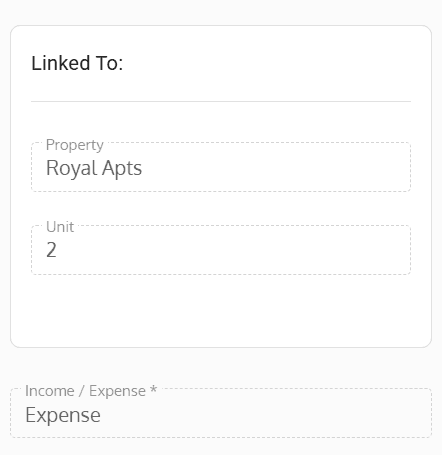
Link it to property context
Attach each entry to a property, unit, tenant, or owner so follow-ups never lose their source record.
03

Close with documents
Upload receipts, agreements, and signed documents to keep every line item ready for review and reporting.
DOCUMENTS THAT STAY WITH THE TRANSACTION
Upload Document
Name
Select Category
Income-Expense
Select File
Drag and drop file here
CANCEL
SAVE
Use Seamless Tenants to turn every property transaction into a linked, documented, review-ready record.
Schedule a demo


